
Documents without the signal dependency
Offline DOT document app for trucking fleets.
Drivers keep access to successfully synced truck, trailer and driver documents when cellular service drops. The office stays in control from one web dashboard.
Updated September 12, 2026 · eDigitalBinder product team
Built for the road
The inspection does not wait for better reception.
Truck routes pass through yards, rural highways, loading facilities and inspection locations where cellular service can be weak or unavailable. A driver document app should not become useless at the exact moment the driver needs a file.
eDigitalBinder stores synced assigned documents on the mobile device for offline access. The driver can open the app and display those files without relying on a live connection.
How offline document access works.
Office assigns.
The office connects current documents with the correct driver, truck or trailer.
Phone syncs.
Assigned files download to the driver app while the phone has internet access.
Driver opens offline.
Synced documents stay available when cellular service is unavailable.
The office updates once. The app syncs the current version.
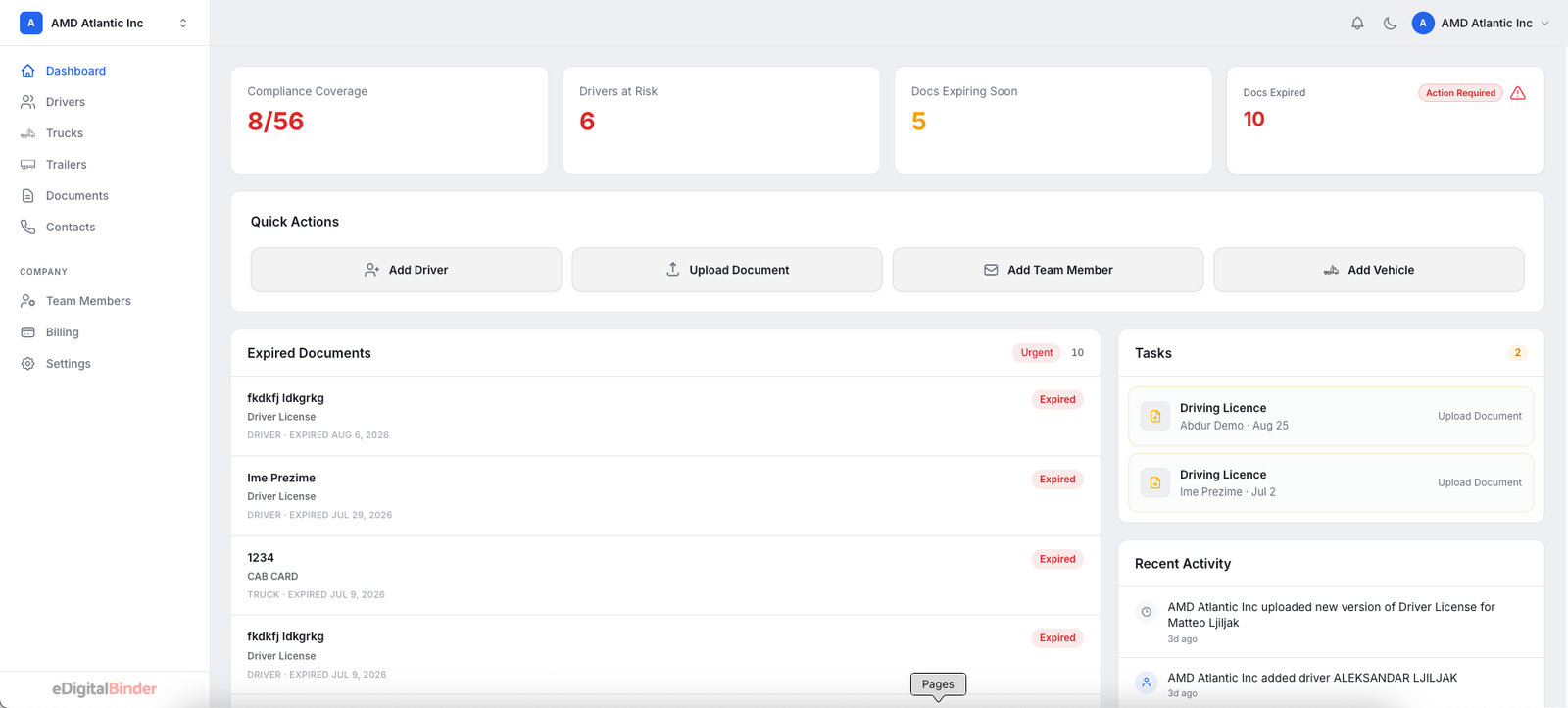
Safety and office staff work from a browser dashboard. They upload current files, organize them by record type and assign them to the people and equipment that need them.
When the phone reconnects, updated assigned documents synchronize with the driver app. The workflow keeps the office responsible for the source while giving the driver a usable copy on the road.
A focused mobile view for the driver.
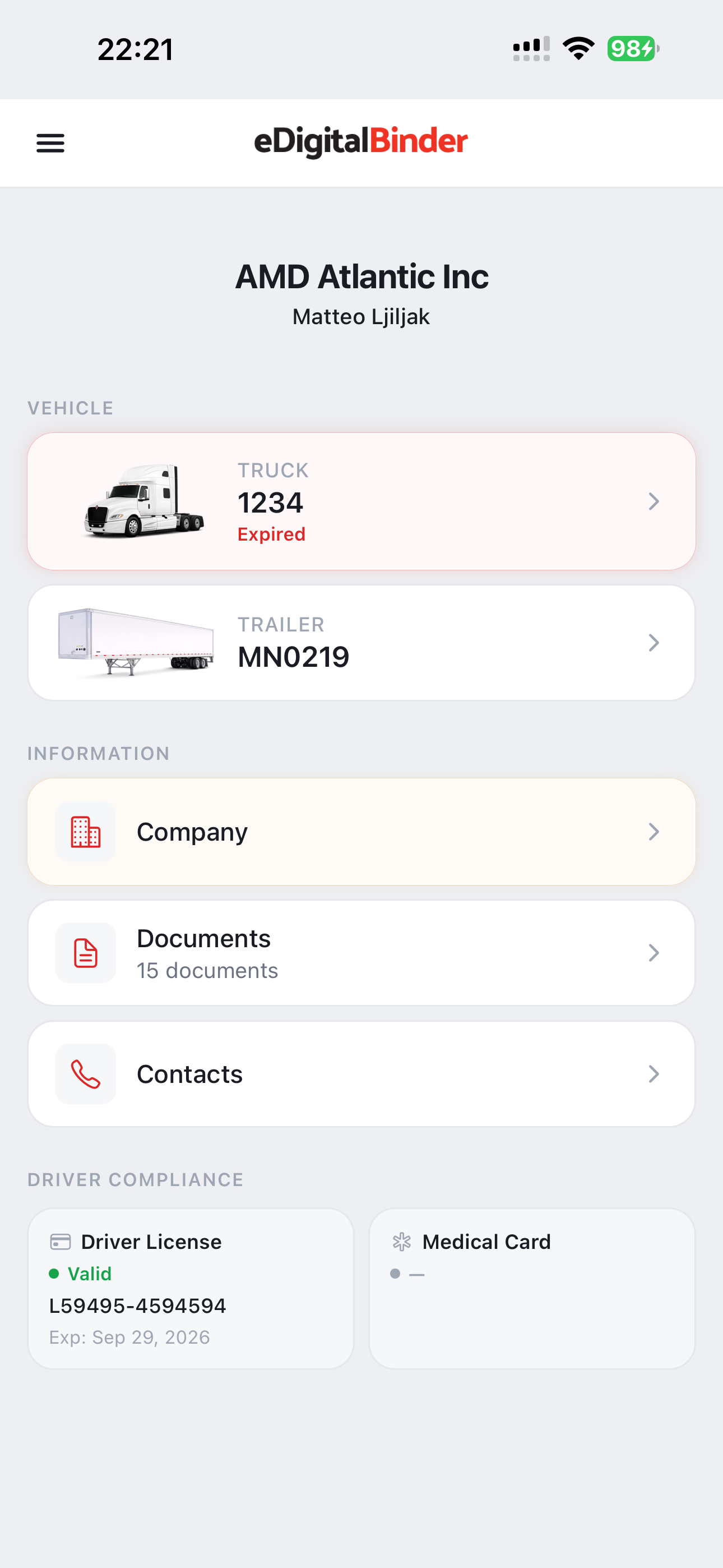
The mobile app is not another full fleet dashboard. Each driver sees their assigned vehicles and documents, making the current file easier to find without searching through email attachments or old messages.
Offline access applies only to documents that have successfully downloaded to the phone. Drivers should open the app while connected after new or replacement documents are assigned. If a file has never completed its download, the app clearly identifies that it is not available offline.
Documents fleets organize for mobile access.
The exact records depend on the fleet and operation. eDigitalBinder gives the office a consistent way to upload complete files and assign them where they belong.
- Truck and trailer registrations
- Insurance documents
- IFTA and fuel-tax documents
- Operating permits
- Inspection records
- Assigned driver documents
Faster office setup with driver license OCR.
Offline access solves the road-side of the workflow. Automatic OCR reduces typing in the office by reading available information from a photographed driver license and pre-filling the driver form for review.
See the driver license OCR workflow →Frequently asked questions
Offline fleet document app questions.
Can drivers open documents without cellular service?+
Yes. Assigned documents that successfully downloaded while the phone was online remain available when the phone is offline.
What if a document has never finished downloading?+
It will not be available offline. Drivers should open the app with an internet connection after new or updated documents are assigned.
When do updated documents appear?+
The app syncs new assigned versions when the phone has an internet connection. Previously synced documents remain available while it is offline.
Which documents does a driver see?+
A driver sees documents assigned by the office to that driver and their vehicles rather than the fleet’s complete document library.
Is the app available for iPhone and Android?+
Yes. eDigitalBinder is available in the Apple App Store and Google Play.